
background-image-2056

RoadSync LiveDock

Every Dock Door. Zero Clipboards. Instant Invoices.

Dock management and payments in one platform. Check drivers in, track each unload, and send the invoice before the truck leaves your property.
Check-in to cash, without a handoff

  1. 01 Check-In
  2. 02 Door Assignment
  3. 03 Accept / Reject
  4. 04 Unload & Document
  5. 05 Count Confirmation
  6. 06 Invoice & Payment
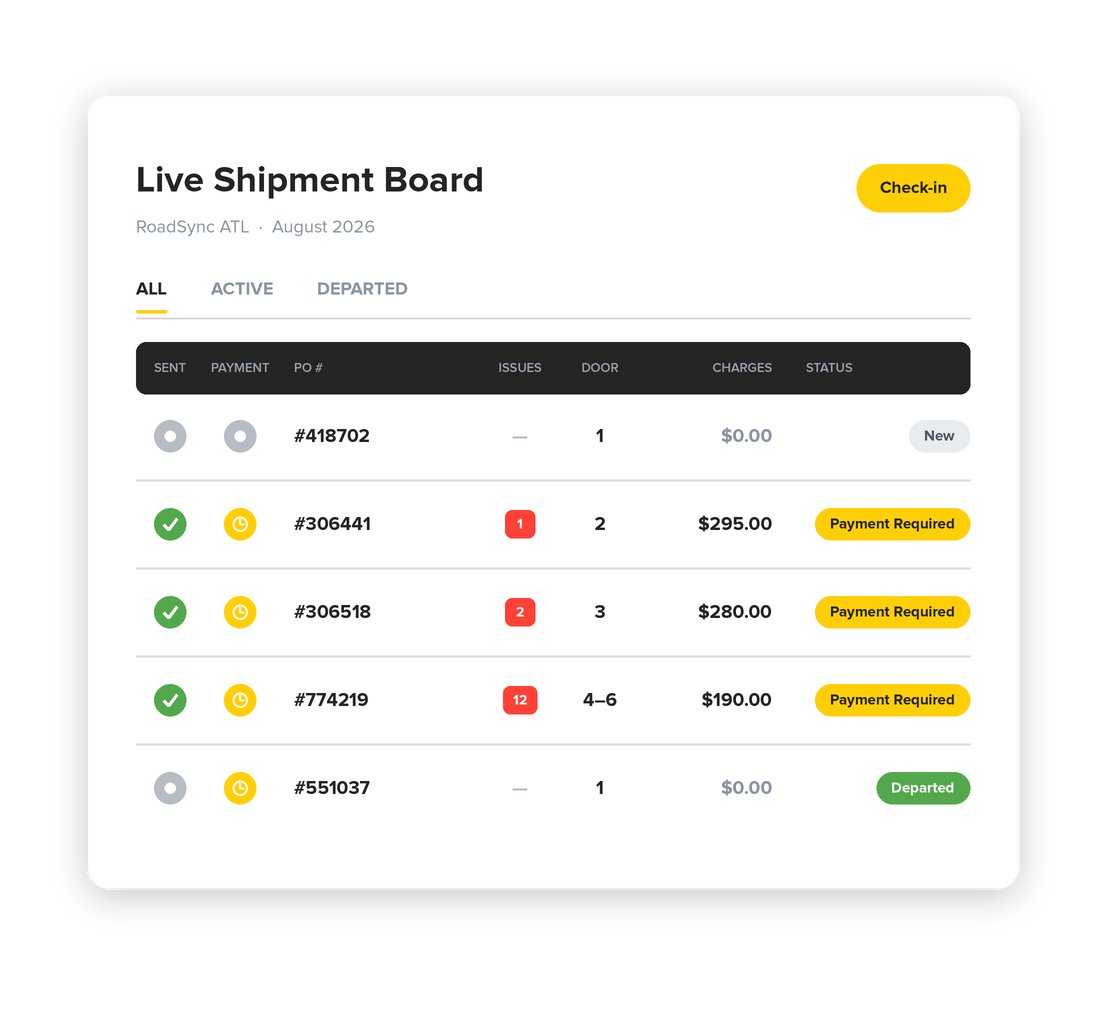
RoadSync LiveDock live shipment board: sent, payment, PO, issues, door and dock status for each load
LiveDock — Desktop Command Center

Run the Whole Dock From One Screen

Your receiving clerk handles every load on one board. Check-in, door assignments, counts, and billing all happen there.

  • Three-step check-in: the form takes carrier and driver details, load details, and vendors and POs, followed by appointment, gate, and dock check-in times. Carrier lookup auto-completes. One load can carry several POs and vendors.
  • Live shipment board: loads move through Check-In, At Dock, Unloading, Ready for Payment, and Departed. Payment status shows for each PO.
  • Door management: assign, block, or reassign any door in the facility. An oversized load can take more than one.
  • Unload monitoring: follow the unload from the desk. The clerk can message dock staff, adjust pallet and case counts, and close out POs.
  • Billing tiles: restacks, damages, and lumper fees show up as dock staff log them. The clerk checks the totals and sends.
Mobile Dock App — On the Floor

The Floor and the Desk on the Same Page

Dock staff work each load from a phone. Whatever they log shows up on the clerk’s board right away.
  • Arrival: take photos of the door and the load, then accept or reject. Photos are required for either decision.
  • Unload: log damages, restacks, breakdowns, pinwheels, and bad wood as they come up, each with a photo.
  • Counts: enter the actual pallet and case counts. If they differ from what was expected, the overage or shortage is recorded with a plus-or-minus adjustment when the PO is completed.
  • Multi-vendor loads: each vendor’s POs get counted and closed on their own.
  • Clerk chat: questions and escalations go to the desk through the app instead of over the radio.
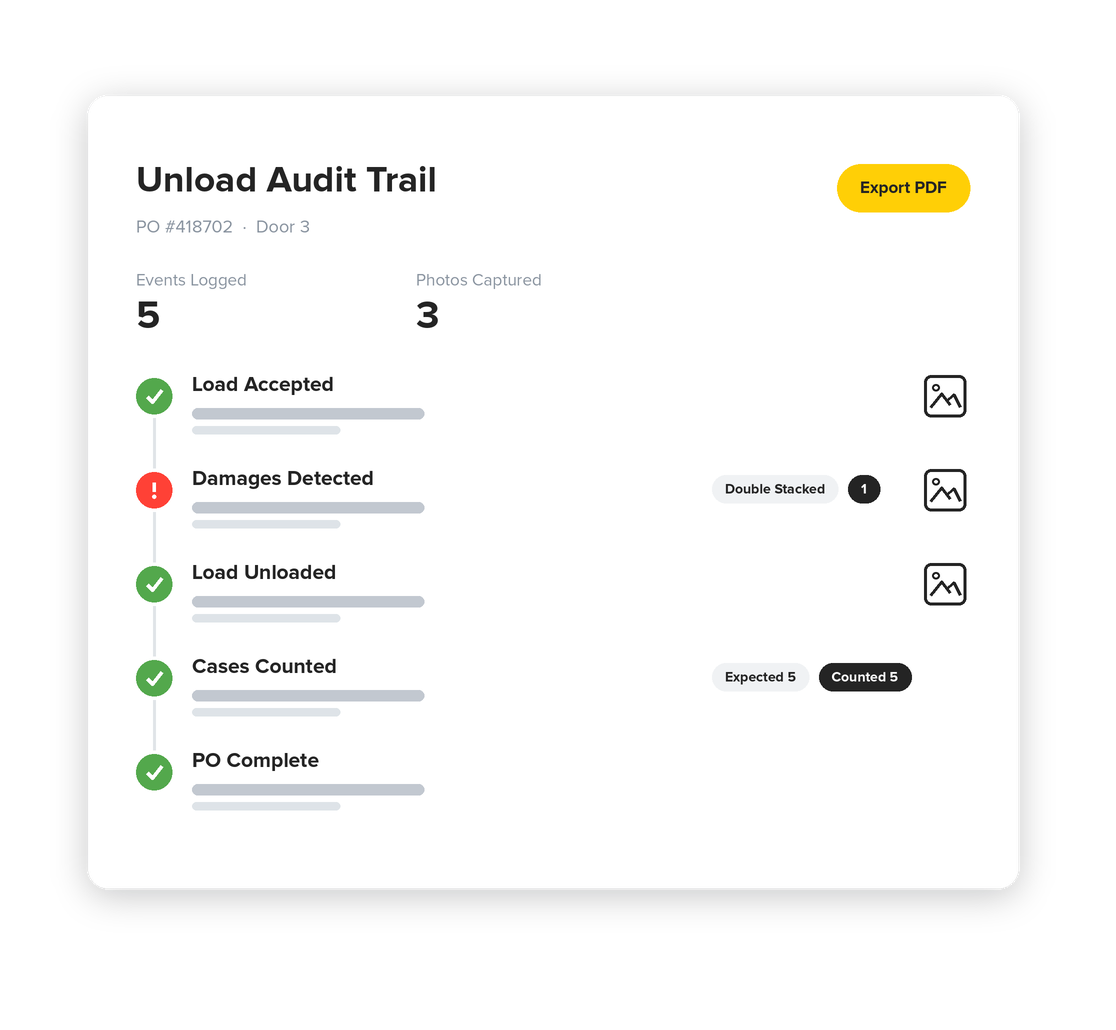
RoadSync LiveDock unload audit trail with logged events, captured photos and a damages record
Proof of Work

Dispute-Proof by Default

Each load gets its own record, written as the work happens.
  • Audit trail: accepts, rejects, photos, damage reports, count adjustments, and staff messages, listed in the order they happened.
  • Time-stamped and attributed: each entry shows the time and the employee who recorded it.
  • PDF export: export the full record in one click and send it to a vendor, carrier, or buyer.
  • SOP checks: temperature checks and case expiration are captured during the unload. FSMA-204 readiness is built in.
Invoicing & Payments

Bill the Exception Before the Truck Leaves

Fees and deductions get added while the truck is still at the door. By the end of the unload, the invoice is ready to send.

  • Fees: restacks, damages, and lumper fees go on the invoice when dock staff log them.
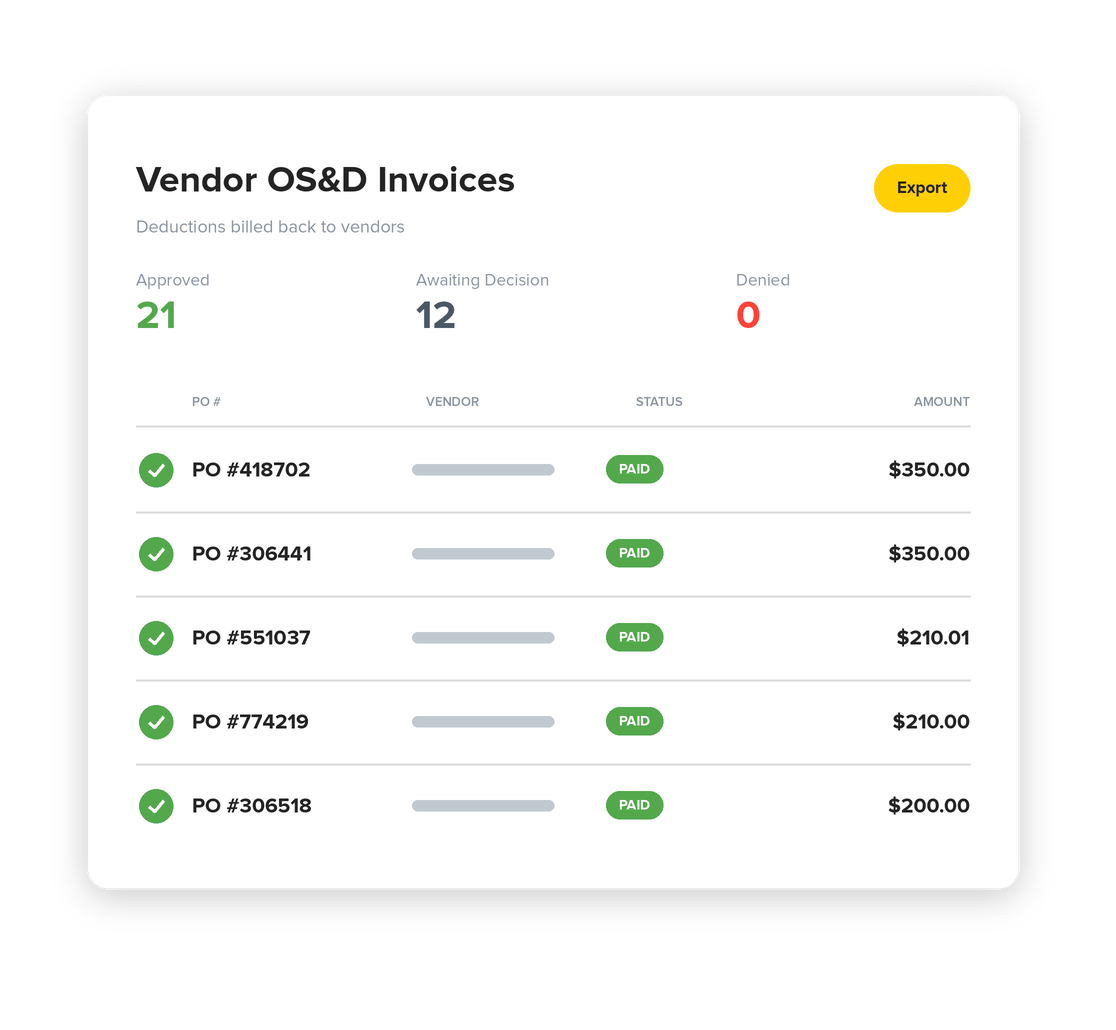
  • Vendor Deduct: the clerk creates a deduction invoice against the PO. A reviewer approves or denies it. Approved deductions settle and stay tracked against that PO.
  • Multi-PO loads: each PO keeps its own billing and payment status until final count confirmation.
  • Paid at the dock: carriers can pay through RoadSync before the driver leaves, using fleet checks, fuel cards, credit, debit, ACH, or contactless.
city lines

What Warehouses Say

“RoadSync provided us with collection visibility we’ve never had before.”

— Chuck Graefen, Senior Director, Distribution Support
KeHE Distributors, LLC
Built for the Receiving Dock

Everything It Takes to Turn a Door

  • Smart Check-In

    Carrier, driver, POs, and door assignment go into one form.

  • Live Shipment Board

    See where every truck stands, door by door.

  • Photo-First Documentation

    Photos are required at each stage and saved to the load with a time stamp.

  • OS&D Logging

    Dock staff log damages, restacks, overages, and shortages from the floor.

  • Auto-Generated Invoices

    Fees logged on the dock flow into the invoice. The clerk reviews it and sends.

  • Exportable Audit Trail

    Download a PDF of the whole unload to send to a carrier or vendor.

How LiveDock Works at Your Dock

OS&D stands for overage, shortage, and damage. It covers any load that doesn’t match its paperwork, like a short case count or a pallet that showed up crushed. Each one costs money, and someone has to pay for it.

At most docks, those details end up on a clipboard or in the memory of whoever worked the load. So when it’s time to bill a carrier or answer a vendor dispute, there isn’t much to go on.

With LiveDock, dock staff log the exception on their phone, with a photo, while the truck is still at the door. The entry is time-stamped and tied to the PO. Any fee it triggers goes on that load’s invoice.

A scheduler decides which truck shows up when. LiveDock runs everything after the truck arrives: check-in, door assignment, the accept or reject decision, the unload, the count confirmation, and the invoice. Schedulers and yard tools are good at getting trucks to your door in an orderly way, but they generally stop before you get paid.

About 30 seconds. Carrier lookup auto-completes, and the PO, vendor, and door assignment go into the same form. Drivers don’t wait at the window while someone looks for paperwork.

Put Every Door on One Screen

Book a 15-minute demo and we’ll show you how LiveDock would work at your dock. Want to talk now? Call 866-946-9586.

More for Warehouses